The Functions That Keep Coralvynx Organised
Coralvynx operates through a set of distinct functions that work together to receive, sort, and present information in a structured form. Each function addresses a specific part of the information lifecycle, from initial intake through to user-facing review.
Classification of incoming information
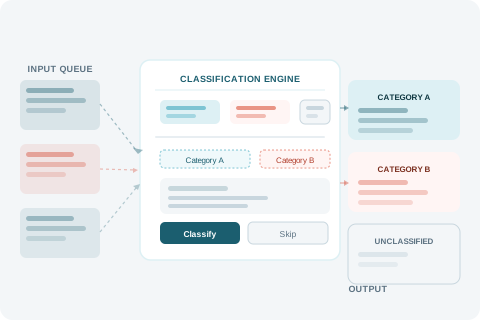
At the core of Coralvynx is a classification layer that assigns incoming data to defined categories. Rather than presenting raw inputs directly, the system processes each piece of information and places it into a structured hierarchy before making it available to users.
The category structure is maintained within the system's configuration and reflects the scope of information the platform is designed to handle. Classification criteria are applied consistently across all inputs, which means users can rely on the category view to accurately reflect the data available.
Where an item cannot be confidently assigned to an existing category, it is held in an unclassified state pending further review. This prevents incorrect categorisation from affecting the records that users rely on.
Reviewing structured observations
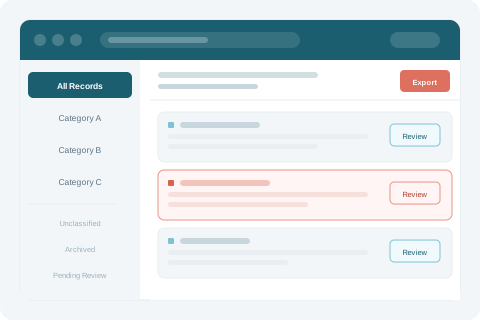
Once information has been classified, the system surfaces it through a review interface designed for clarity. Users can navigate between categories, examine individual records, and compare observations across different data sets.
The review layer is the primary point of interaction for most users. The interface is designed to remain legible when the volume of information is high. Summary views, filters, and category-based navigation help users locate specific records without needing to scroll through unstructured lists.
The review interface does not modify the underlying information. It presents a read-consistent view of classified records, which means that the information seen by one user reflects the same classification state as the information seen by another.
Navigating the information interface
The Coralvynx interface provides multiple ways to move through organised data. Category-based navigation allows users to work from broad groupings down to specific records. Reference materials within the interface explain the classification structure and help users understand where specific types of information are stored.
Navigation is designed to be intuitive without requiring a detailed understanding of the underlying data model. The category hierarchy reflects the organisation logic built into the system, so moving through it produces a coherent view of the information available at each level.
Where a user needs help understanding a particular section or record type, the support team can be contacted through the Connect page.
Requesting access in four steps
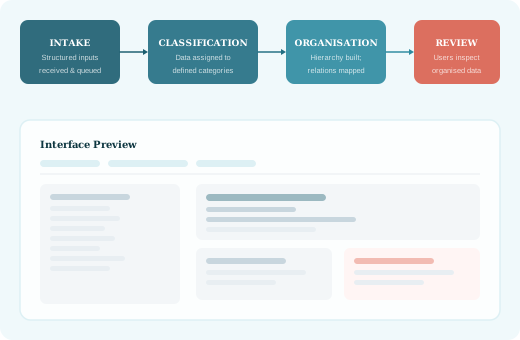
Access to the Coralvynx system is handled through a straightforward enquiry and review process managed by the support team.
Review the platform
Read the Platform Overview and Functions pages to confirm that Coralvynx addresses your information needs.
Submit your enquiry
Use the contact form on the Connect page to send a request with your contact details and enquiry type.
Team review
The Coralvynx support team will review your request and may contact you for additional context if needed.
Access confirmation
If your request falls within the system's scope, the team will confirm next steps by email.
Have a question about how Coralvynx works?
The support team is available to clarify specific functions or assist with an access request. Reach out through the Connect page.